We solved book layout.
Laying out a book from a raw manuscript has always been skilled hand work. PageBender does it when you press a button: drop in the manuscript in any format and get the finished book back in every format you need.
- Word
- InDesign
- EPUB
- LaTeX
- Print PDF
- EPUB
- Kindle
- Word
- InDesign
- LaTeX
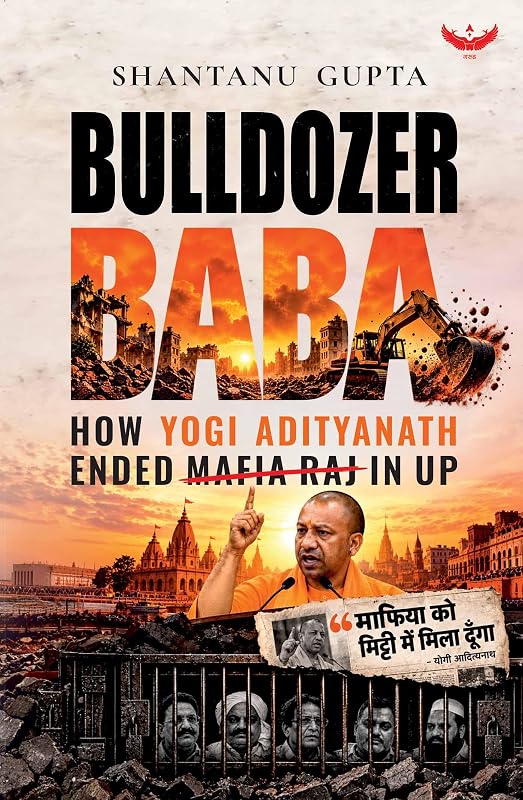
Garuda Prakashan publishes its books with PageBender
Garuda's books go from manuscript to press on PageBender: edited, typeset and sent to print and ebook stores from the platform.
Book layout is still done by hand
A typesetter takes the author's Word file into InDesign, restyles every heading, rebuilds every footnote and table, and pushes stray lines off each page. Then the ebook is built again, as a separate job, from a different file. One correction means editing both.
PageBender reads the manuscript's structure, sets the pages with TeX and writes every format from one copy of the text. A correction made once reaches all of them.
Any format to any other
A book usually lives in several files. The author writes in Word, the typesetter works in InDesign, the mathematician sends LaTeX, and the store wants an EPUB. PageBender reads each of these into a single structured copy of the book, so every file you download comes from the same text: a correction made once appears everywhere.
| Format | Upload | Download | What carries across |
|---|---|---|---|
| Word (.docx) | Yes | Yes | Styles, numbered lists as Word shows them, footnotes and endnotes, merged table cells, captions in text boxes, tracked changes and comments |
| InDesign (.idml) | Yes | Yes | Paragraph and character styles, endnotes at their markers, cross-references linked, bleed matching the PDF |
| EPUB | Yes | Yes | The contents list as structure, quotes and epigraphs, language tags, MathML formulas, alt text and accessibility metadata |
| LaTeX | Yes | Yes | Chapters, maths, tables, figures, cross-references and TikZ |
| Print PDF | Word exports | Yes | Set by TeX at your trim size, with bleed and trim boxes |
Two conversions get their own pages because they are the hardest to do by hand: LaTeX to EPUB, which keeps the equations as MathML, and EPUB to LaTeX, which turns an ebook into source a TeX user can work on.
From manuscript to book
- Upload. PageBender reads the file and checks every word, picture, table and note against what the reader recovered. A word that goes missing is reported, not dropped.
- Structure. Chapters, parts, front and back matter, verse, block quotes and captions are found and shown in a contents rail, where you can move or rename them.
- Edit. Clean-up rules, an AI copy-edit and a fact check propose changes as cards. You accept or reject each one, or a whole group at once.
- Typeset. TeX sets the pages. The page make-up pass fixes widows, orphans and headings stranded at the foot of a page.
- Download. PDF, EPUB, Kindle, Word, IDML and LaTeX, all made from the edited text.
Editing you can check
Each proposed change is a card that shows what changed and why. Spelling choices are made once for the whole book: if it writes “civilisation” eighteen times and “civilization” six, the card says so and you pick one. Quoted words are left alone except for clear typos. Edits never delete an inline image or change a link's address.
- House rules for quotation punctuation, US or UK spelling, number style (Chicago, APA or technical) and heading case.
- Citations restyled to Chicago, APA or Harvard, moved into the text or into notes, with a references list built from DOIs and ISBNs.
- A fact check that flags claims for the author and keeps a source with each accepted correction.
- A Word redline that shows the smallest real change, as Word's own compare does.
Print that holds up
The print interior is set by TeX, the typesetting system mathematicians and university presses have used for decades. PageBender chooses the type, the sizes and the leading for the kind of book it reads, and you can change any of them on the build sheet.
The energy of the state is
\begin{equation}
  E = \frac{p^2}{2m} + V(x)
  \label{eq:energy}
\end{equation}
as shown in \eqref{eq:energy}.
- Display equations stay centred and numbered, and the cross-references stay linked in print, EPUB, Word and InDesign.
- A table too wide for the page turns sideways or spreads across a facing pair. Its header row repeats on every page.
- Figures float, so pages don't end short. Each figure is checked for type too small to read at printed size.
- Footnotes at the foot, at the chapter end or at the book end, with marks in roman, arabic or symbols.
- Kindle-ready EPUB with landmarks, alt text and a Kindle pre-flight check.
- Latin and Devanagari scripts, including Hindi and Sanskrit with transliteration, and legacy Indic fonts converted to Unicode.
Pricing
Pay per book, or by the month if you publish several. Every plan includes all formats, in and out.
Single Book
$49 per book
- One title, open for 12 months
- Clean-up checks and house rules
- Print PDF, EPUB and Kindle
- Word, IDML and LaTeX downloads
Professional Book
$149 per book
- Everything in Single Book
- AI copy-edit and fact check
- Citation styles and references
- Word redline and author round trip
Publisher
$199 per month
- Up to 5 books a month
- Your house style and publisher pages
- 3 team seats
- Everything in Professional Book
Prices in US dollars. Taxes may apply.